
In one line
FinchGram is an unofficial, open-source Telegram client for macOS, written in Rust with Slint and Telegram's own TDLib.
In a paragraph
FinchGram is an unofficial, open-source Telegram client for Macs with Apple silicon. It keeps the Telegram you know, from folders to stickers, and adds what a desktop app can: chats in tabs, a screenshot tool with markup, a Downloads page that browses your NAS over WebDAV, three themes, eleven languages, and AI assistants that may read your chats only once you let them in. It is free software under the GPL-3.0, written in Rust with Slint, talks to Telegram through TDLib, and updates itself from releases on GitHub, each signed with North Brookville LLC's Developer ID and notarized by Apple.
Facts
- Name
- FinchGram, with a capital F and a capital G; never with “Telegram” in the name
- Publisher
- North Brookville LLC, whose Apple Developer ID signs every release. Use that name as the developer in software directories
- Status
- An unofficial client, not made by Telegram
- License
- GPL-3.0
- Platform
- macOS 12 or newer on Apple silicon; Windows and Linux later
- Price
- Free
- First release
- v0.0.1 · 2026-09-30
- Latest release
- v0.4.22 · 2026-10-21
- Languages
- Eleven: English, Simplified and Traditional Chinese, Spanish, Portuguese, German, French, Russian, Japanese, Korean and Arabic
- Built with
- Rust, Slint, TDLib, mpv
- Website
- www.finchgram.com
- Contact
- support@finchgram.com
The logo
A white bird on an indigo rounded square (#4a5fc1). Never on a round background, never in Telegram's blue; leave at least a quarter of the bird's height clear around it, and below 20 pixels use the -16 silhouette.



The app icon
- FinchGram-icon.svg
- FinchGram-icon-1024.png
- FinchGram-icon-dark.svg
- FinchGram-icon-light.svg
- FinchGram-icon-mono.svg
- FinchGram-icon-16.svg
The mark alone
Screenshots
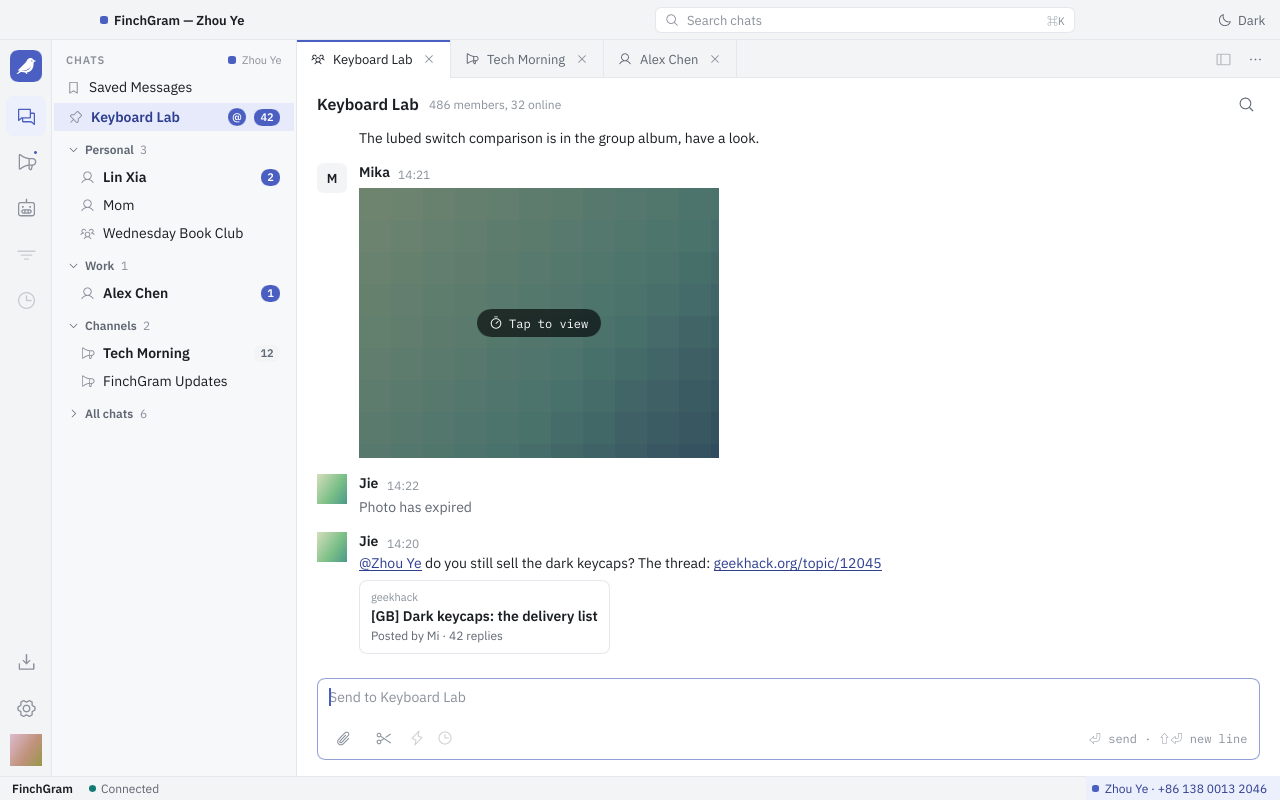
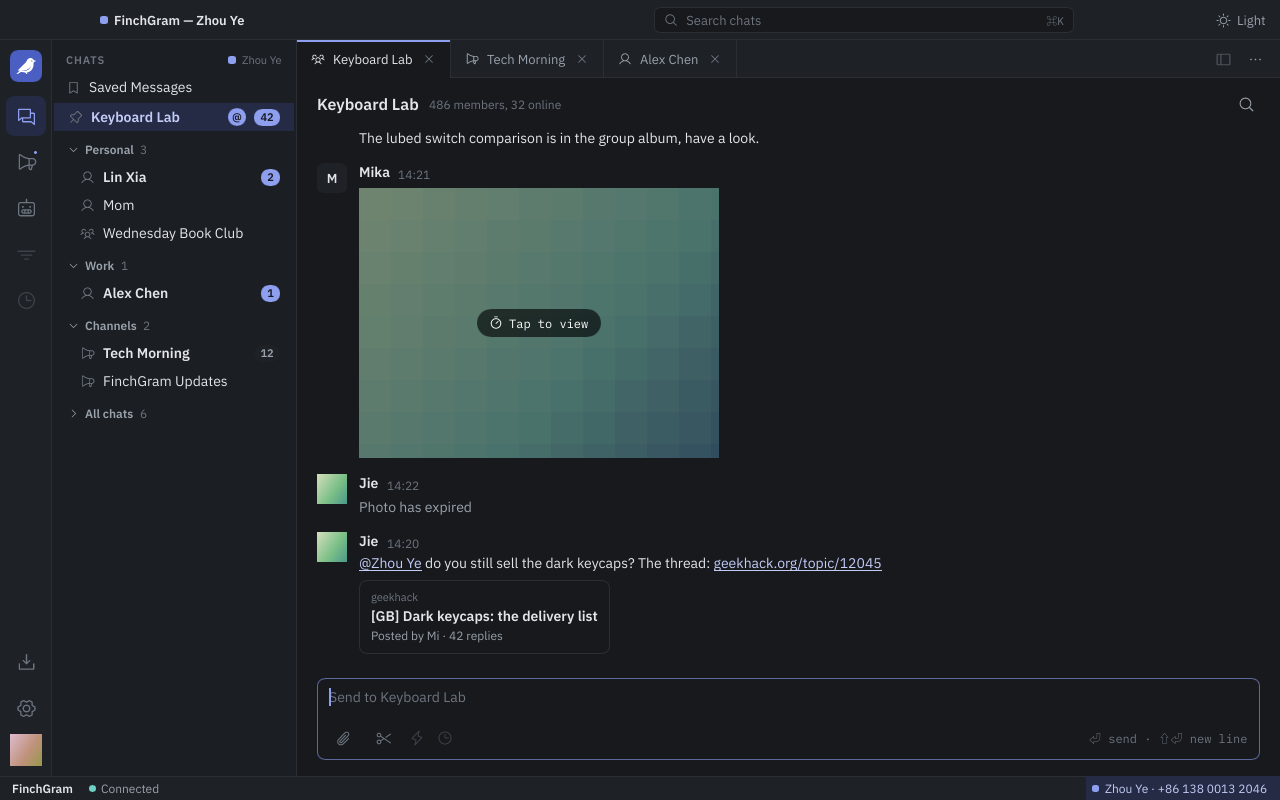
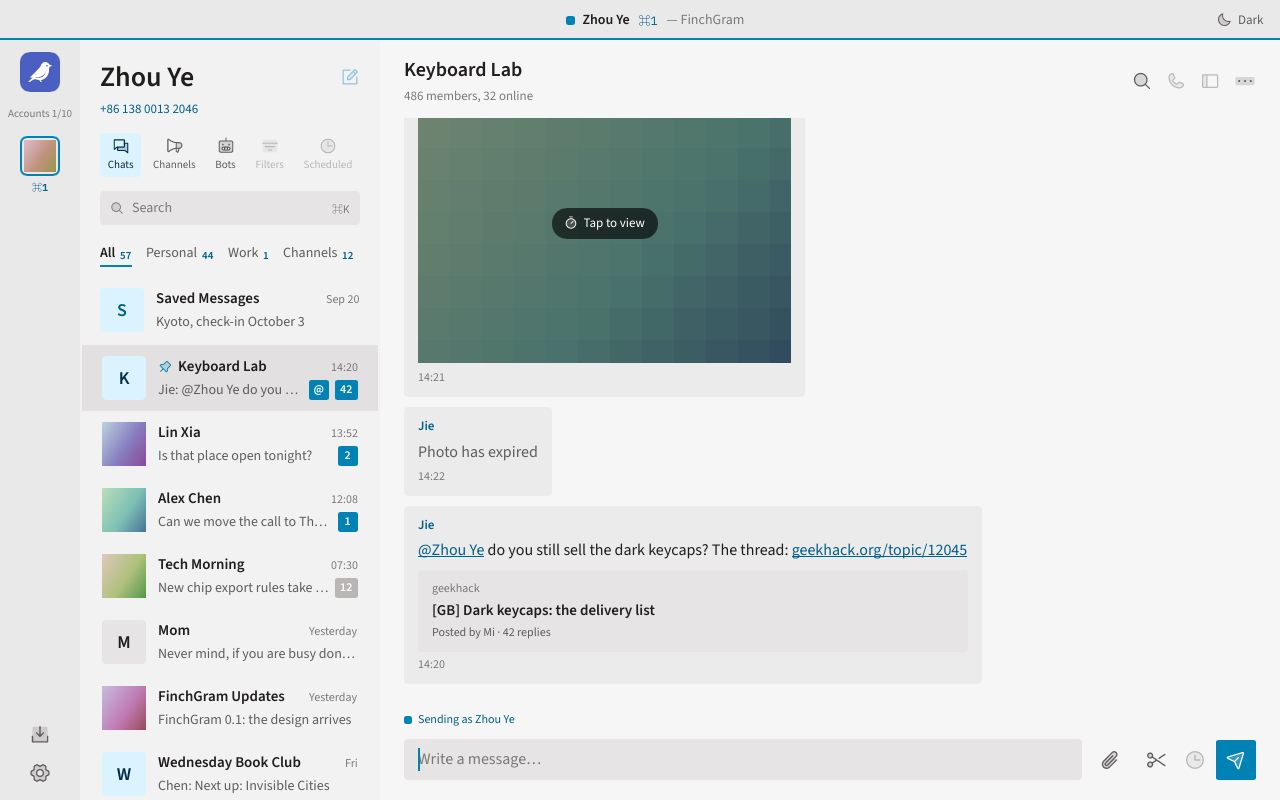
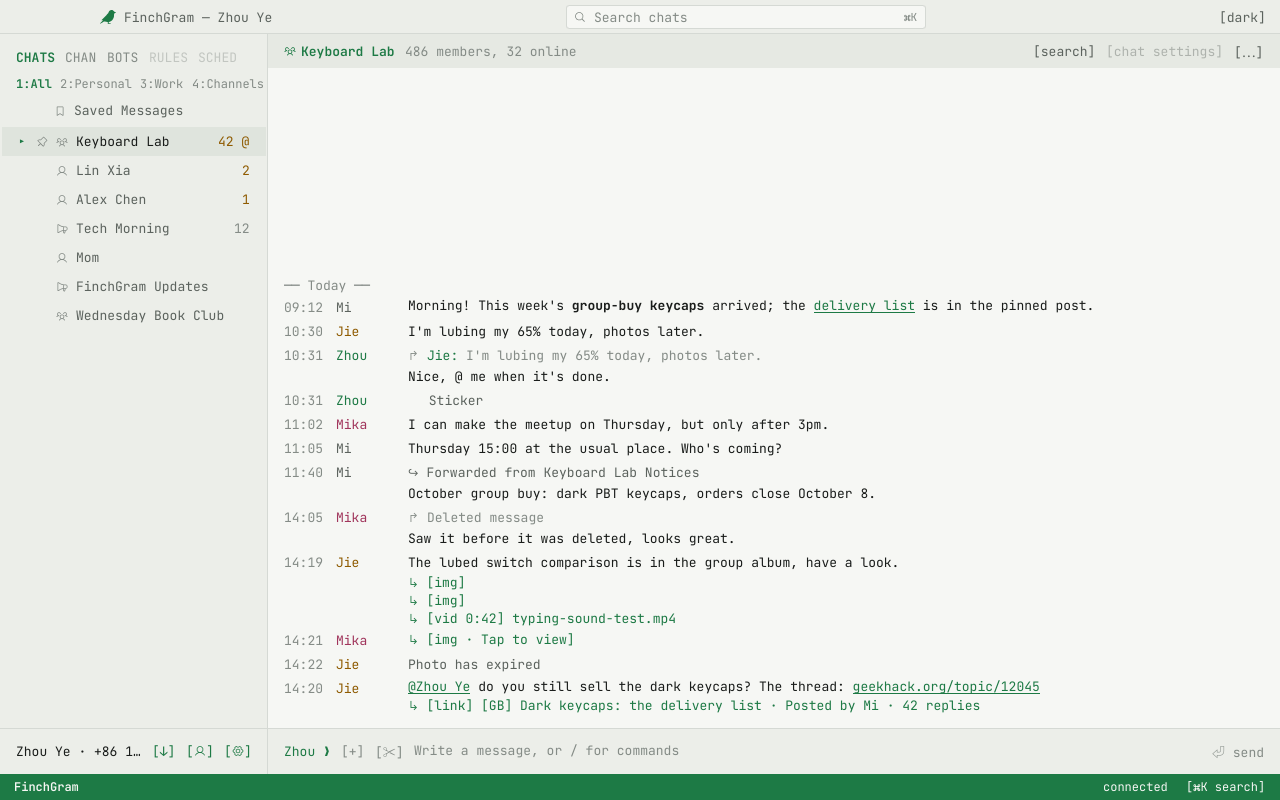
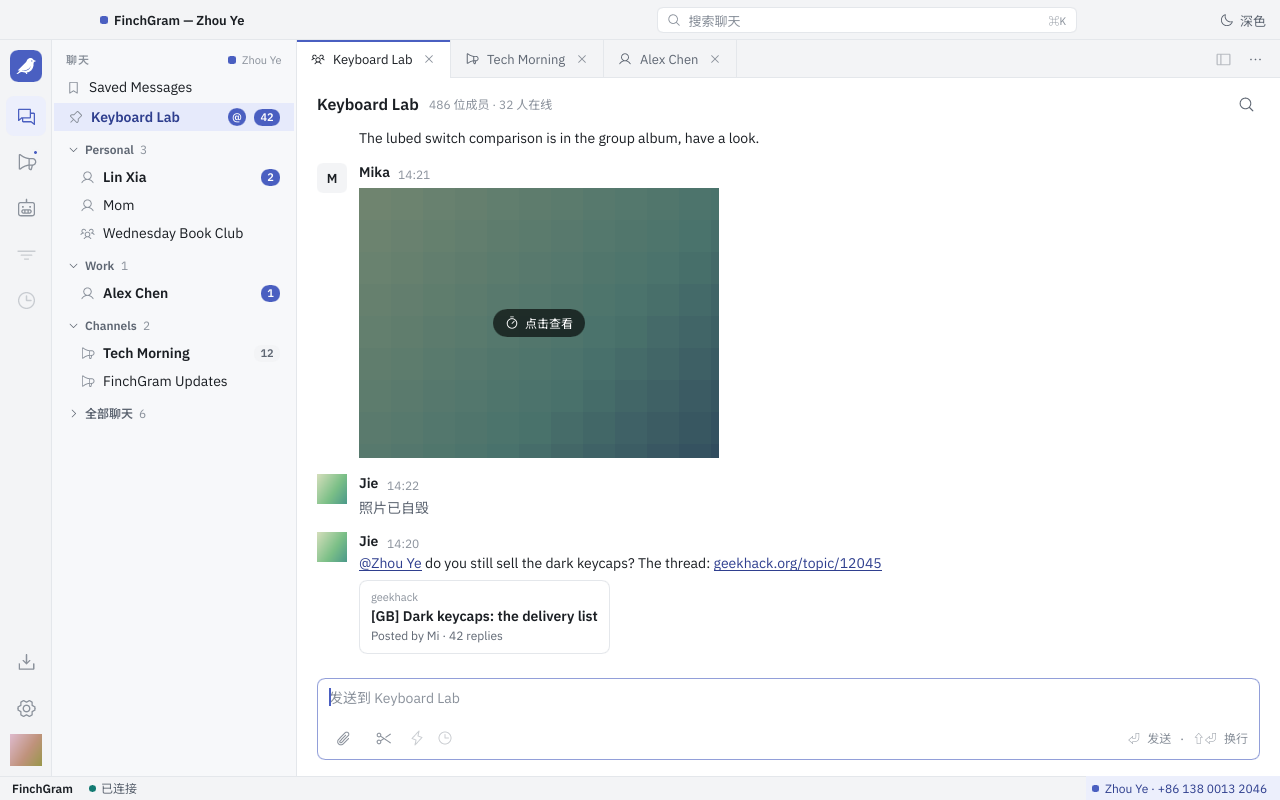
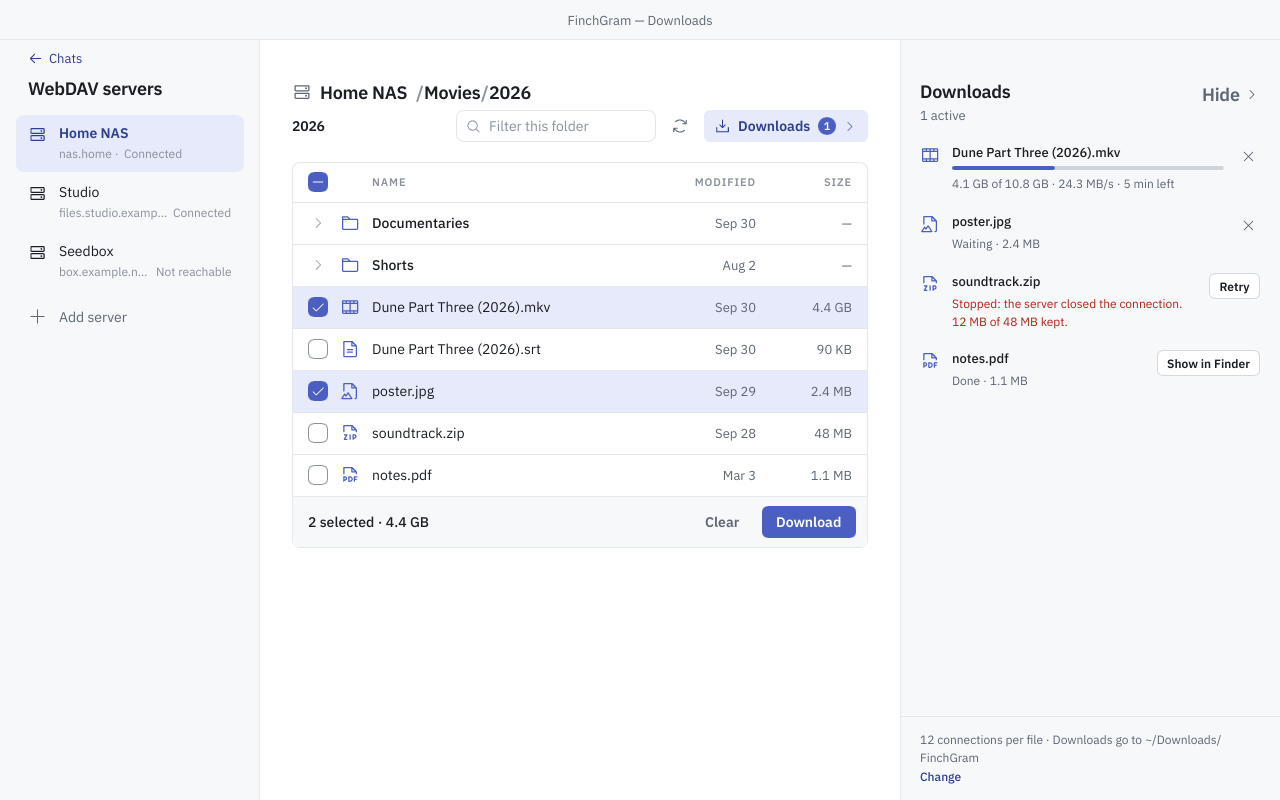
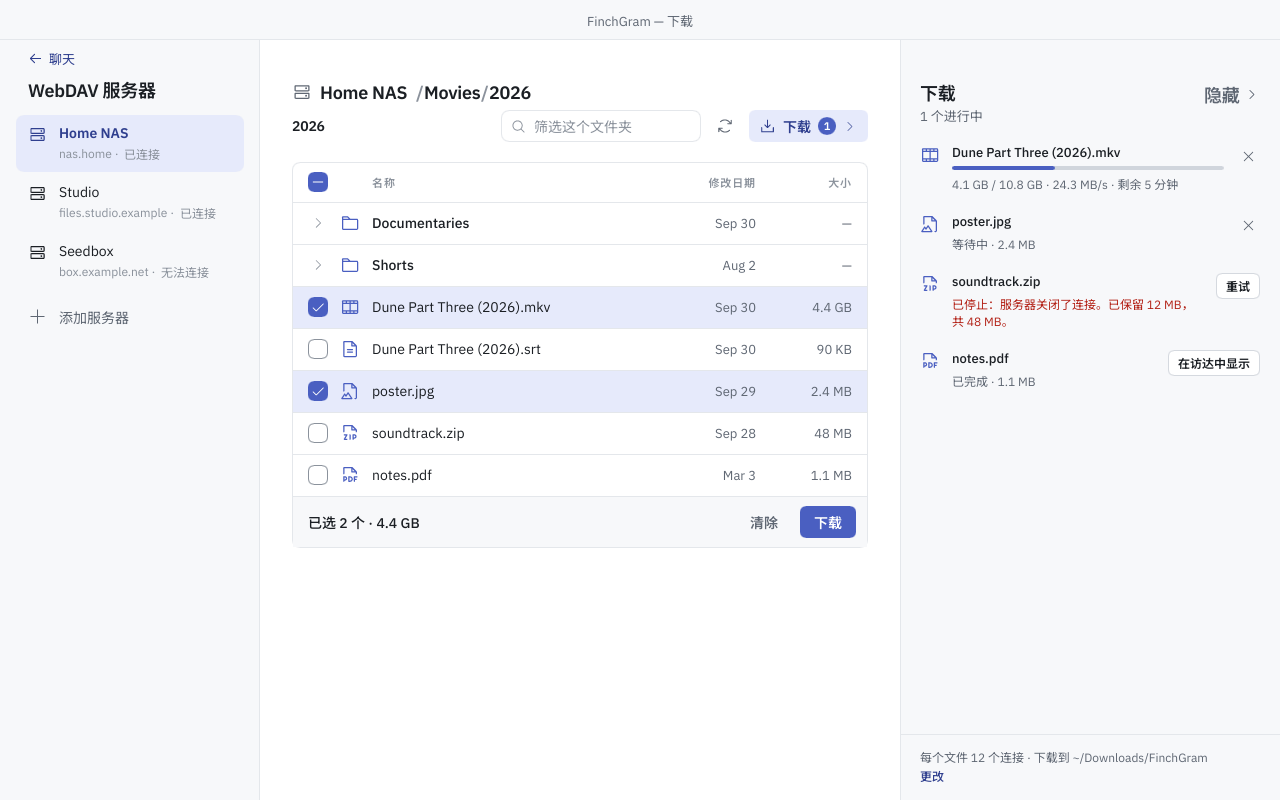
Nine screenshots of the app, 1280 × 800, as PNG. Each link downloads one.
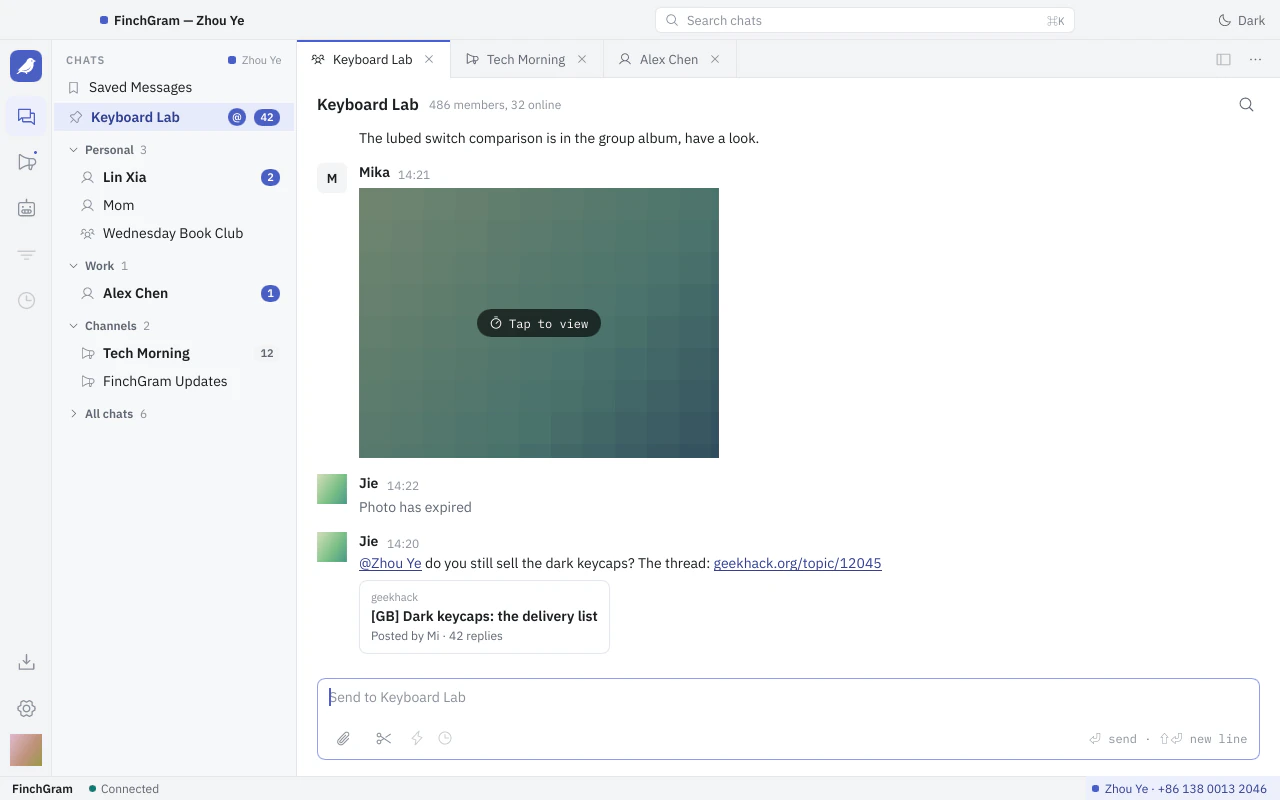 The chat window in Workbench, the default theme
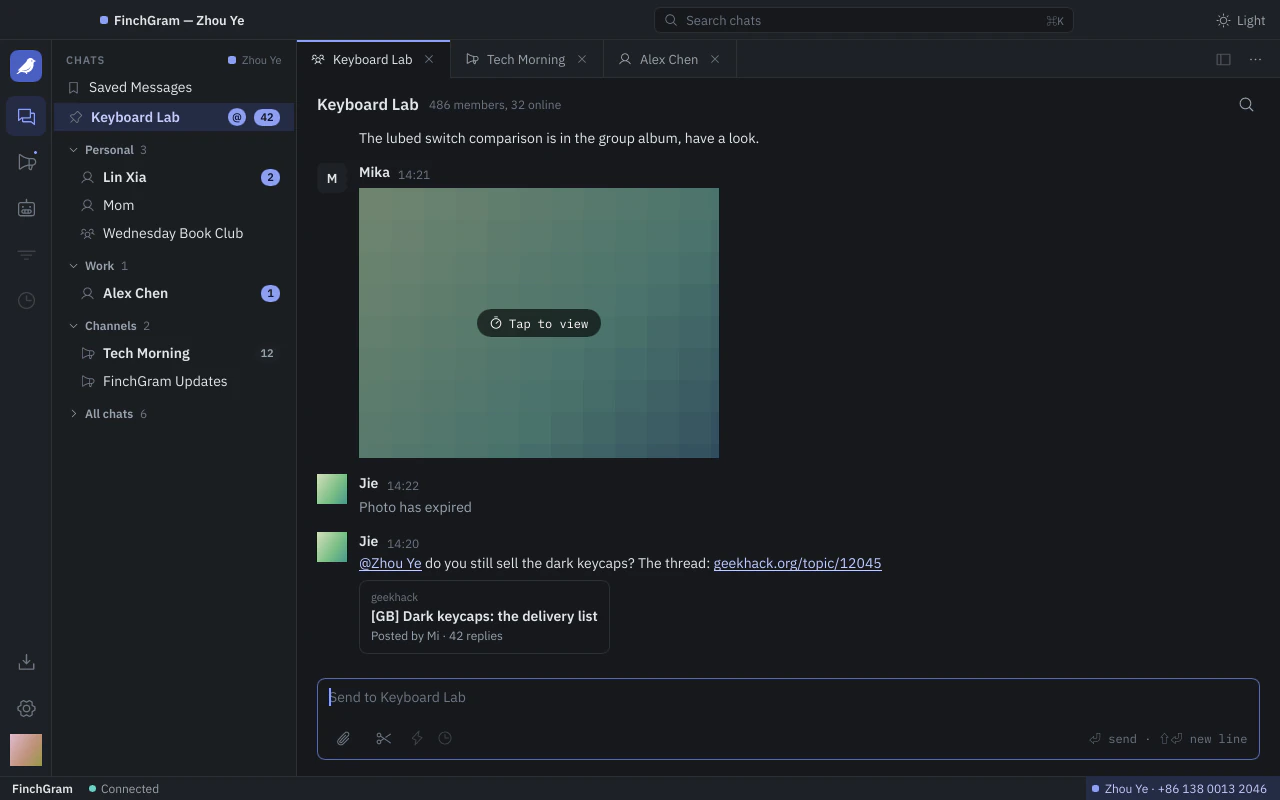 The chat window in Workbench, dark
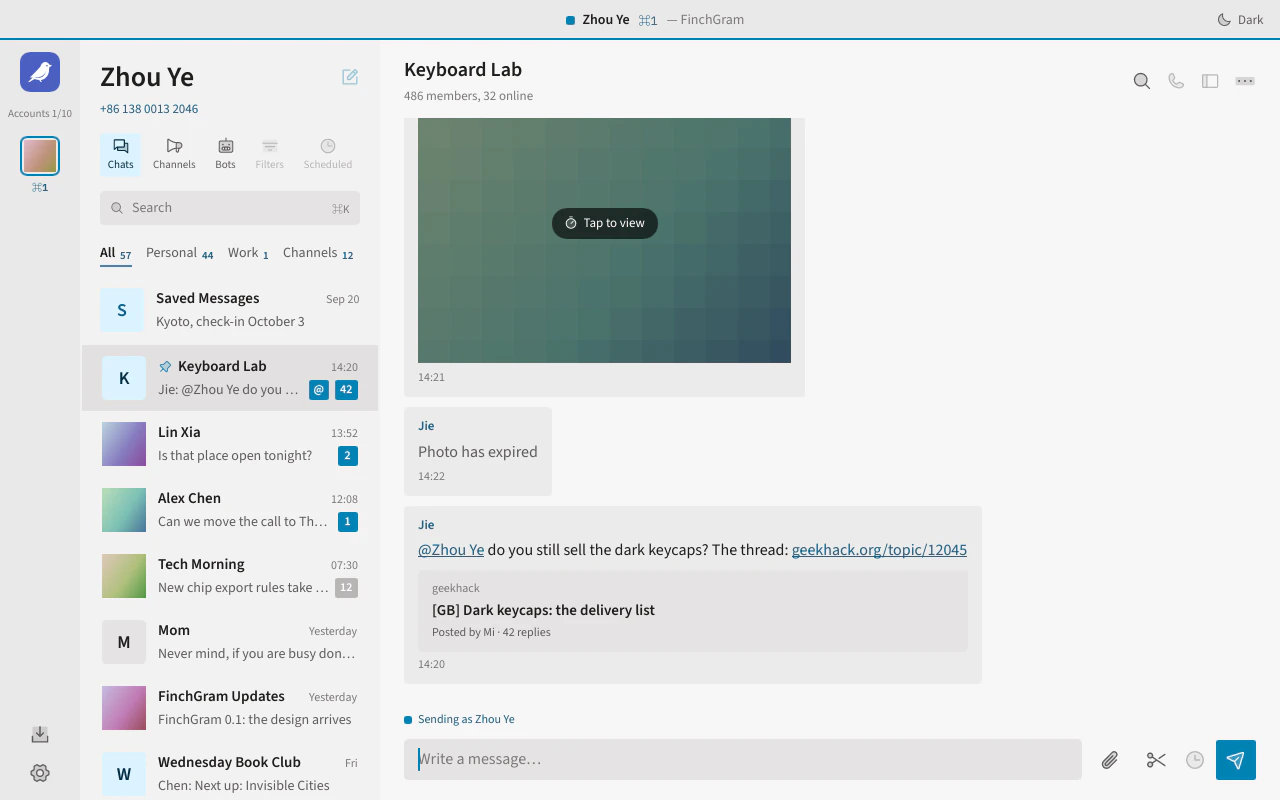 The chat window in the Broadsheet theme, with message cards and a large account header
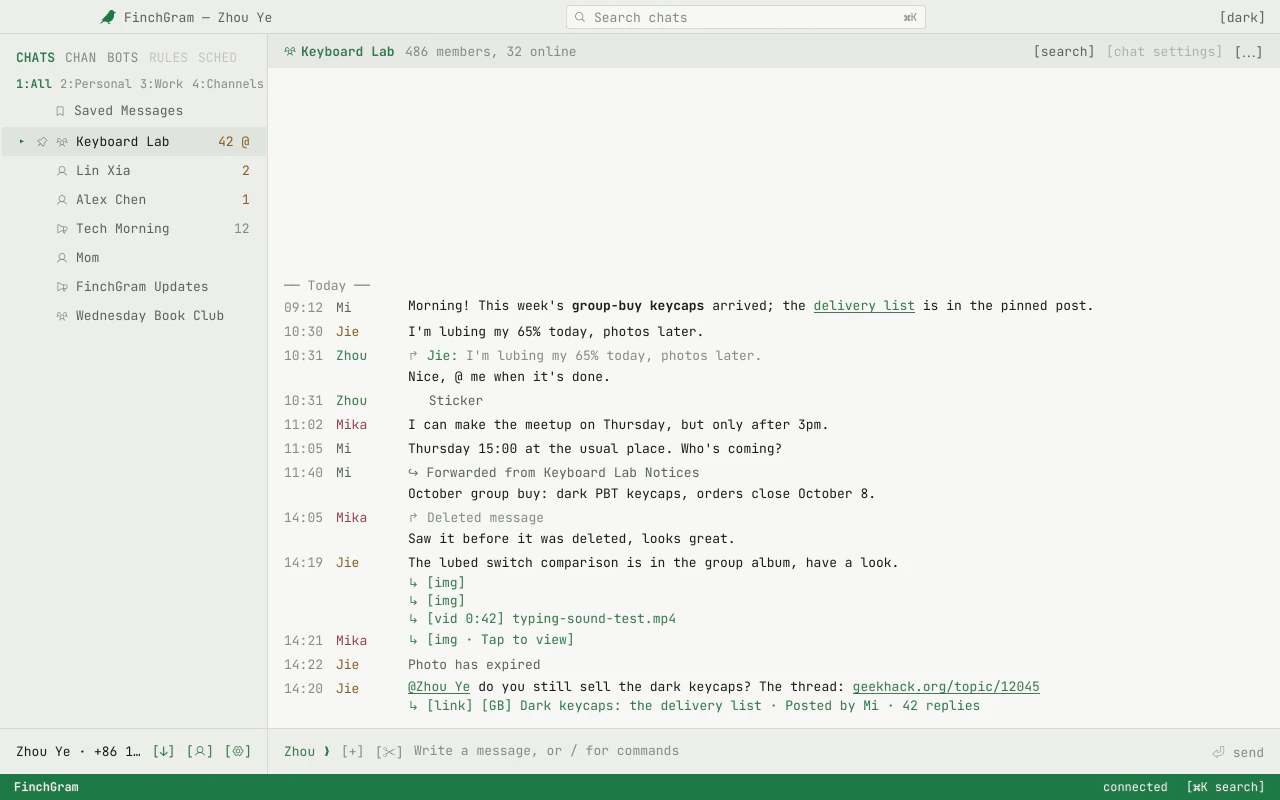 The chat window in the Terminal theme: a monospace screen with timestamps and bracketed commands
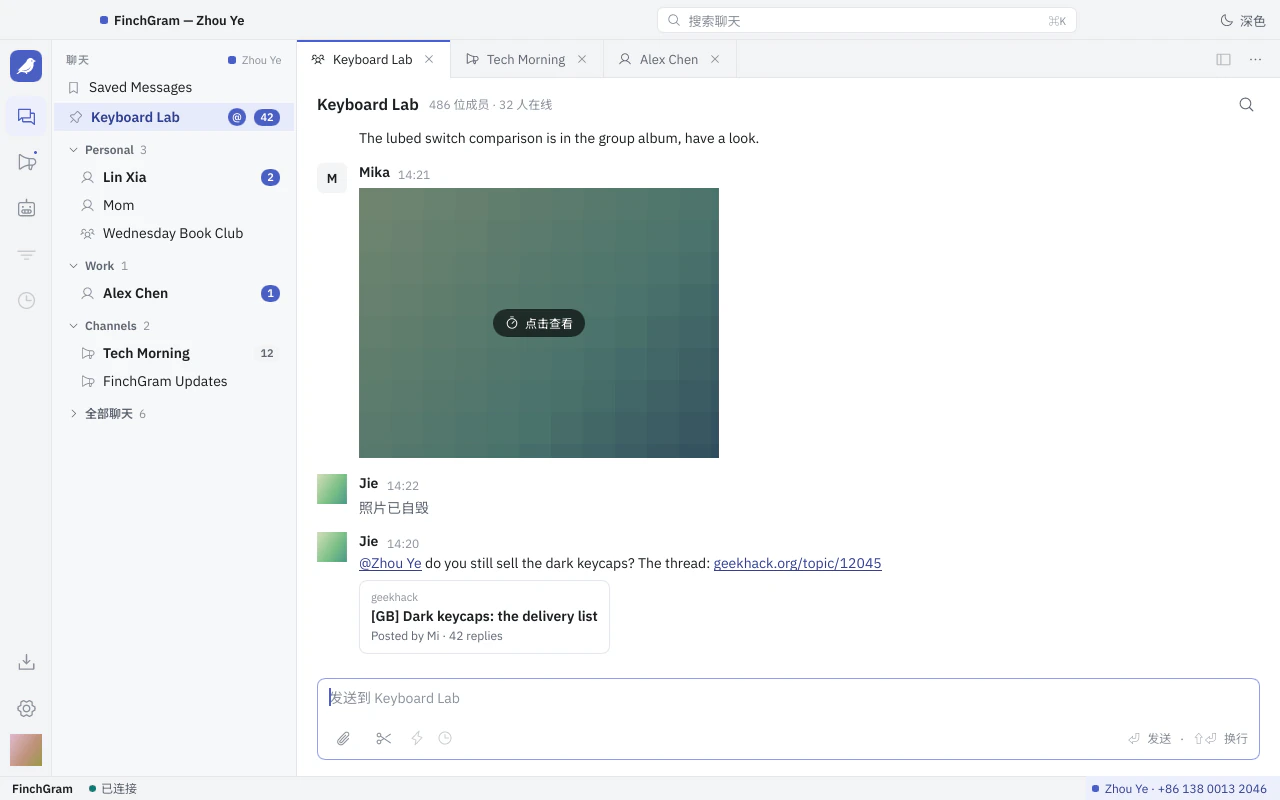 FinchGram's chat window with its interface in Simplified Chinese
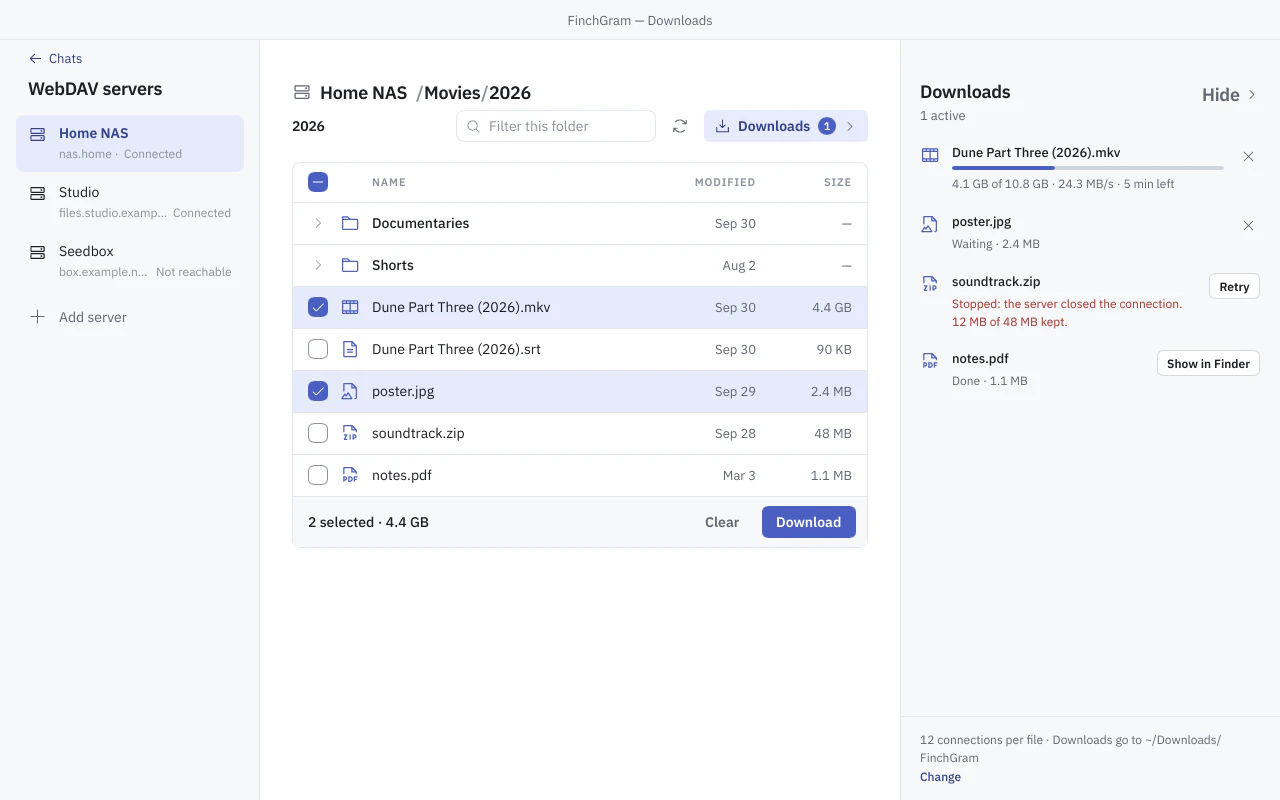 The Downloads page: WebDAV servers on the left, a folder of files in the middle, the download queue on the right
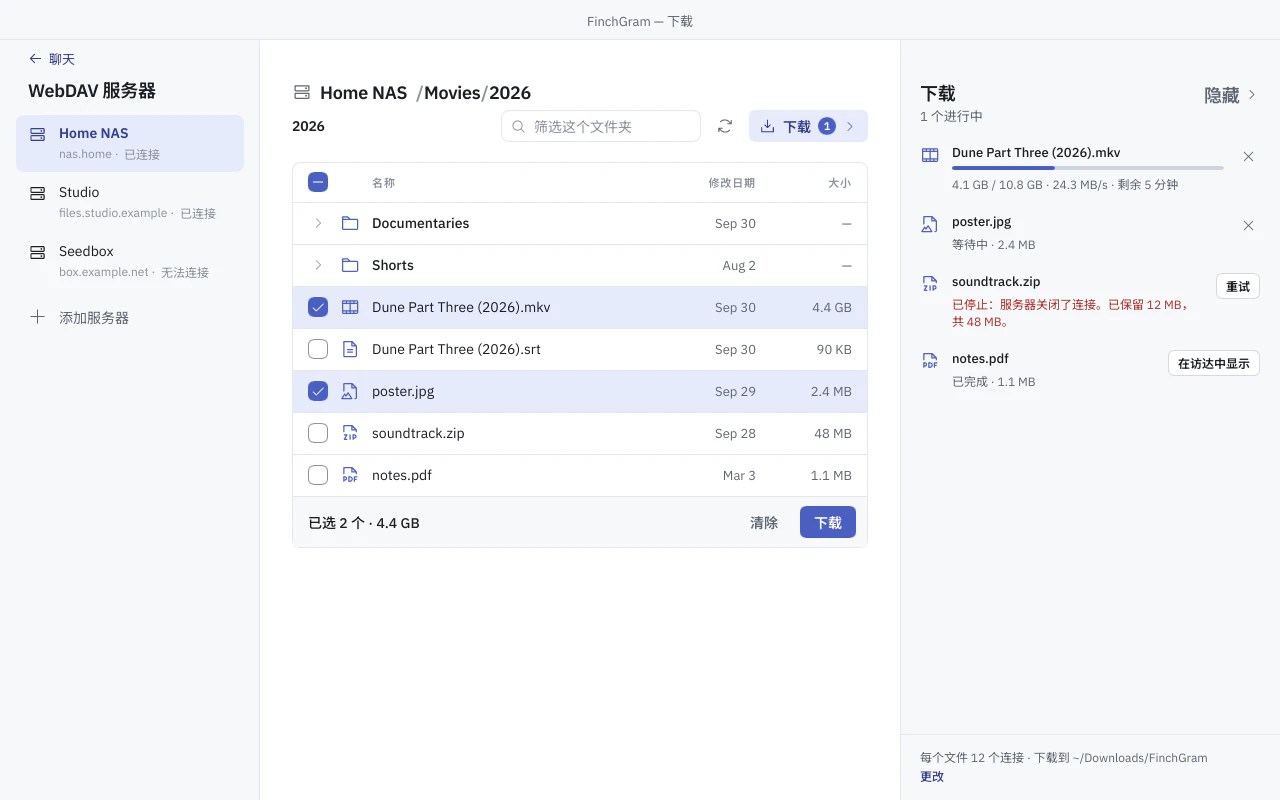 The Downloads page with its interface in Simplified Chinese
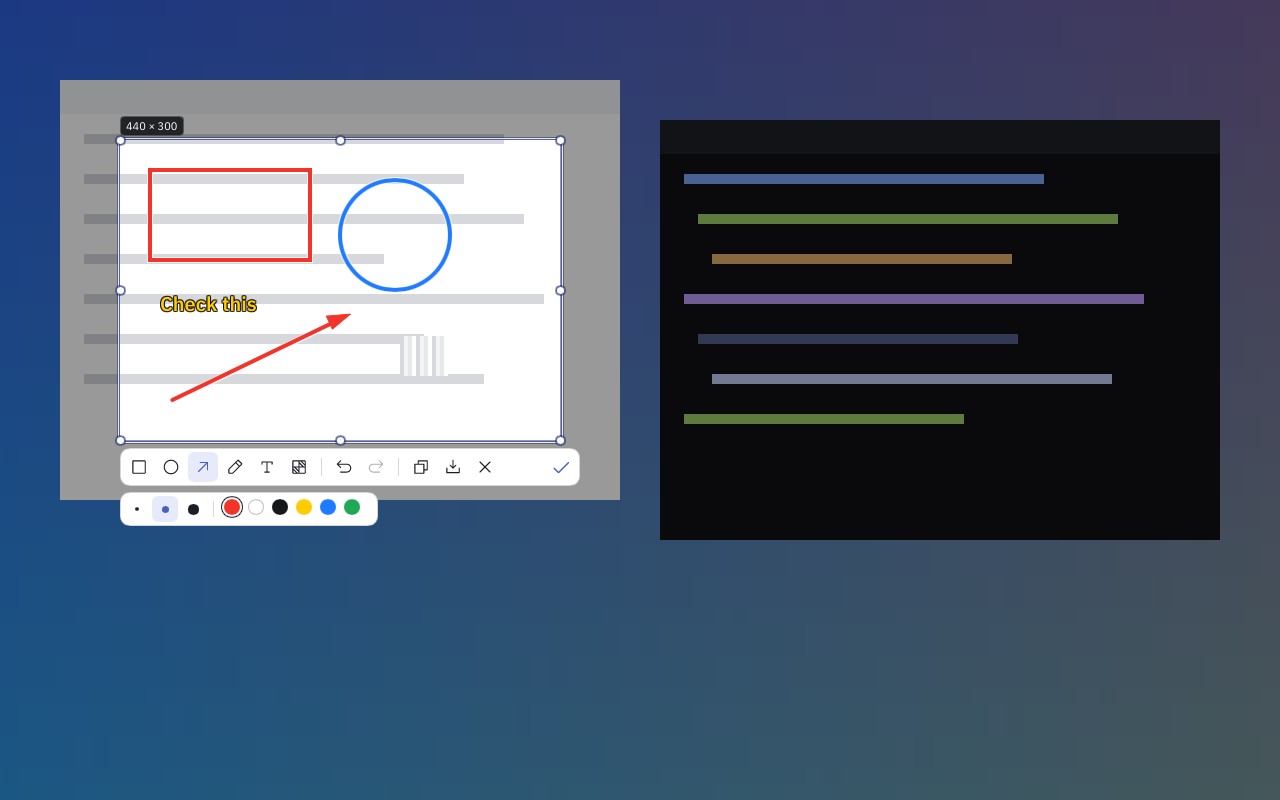
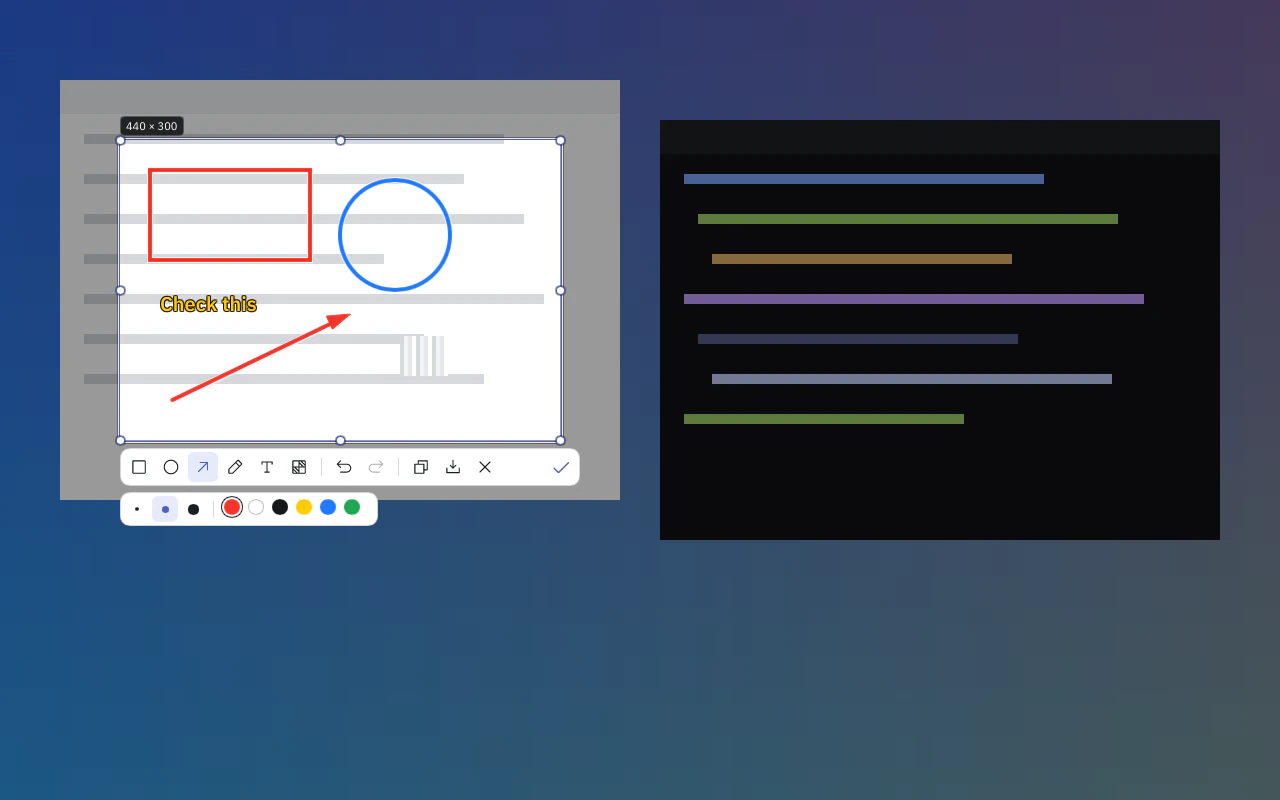 The screenshot overlay over a frozen screen: a selection marked up with a rectangle, a circle, an arrow and text, with the drawing toolbar below it
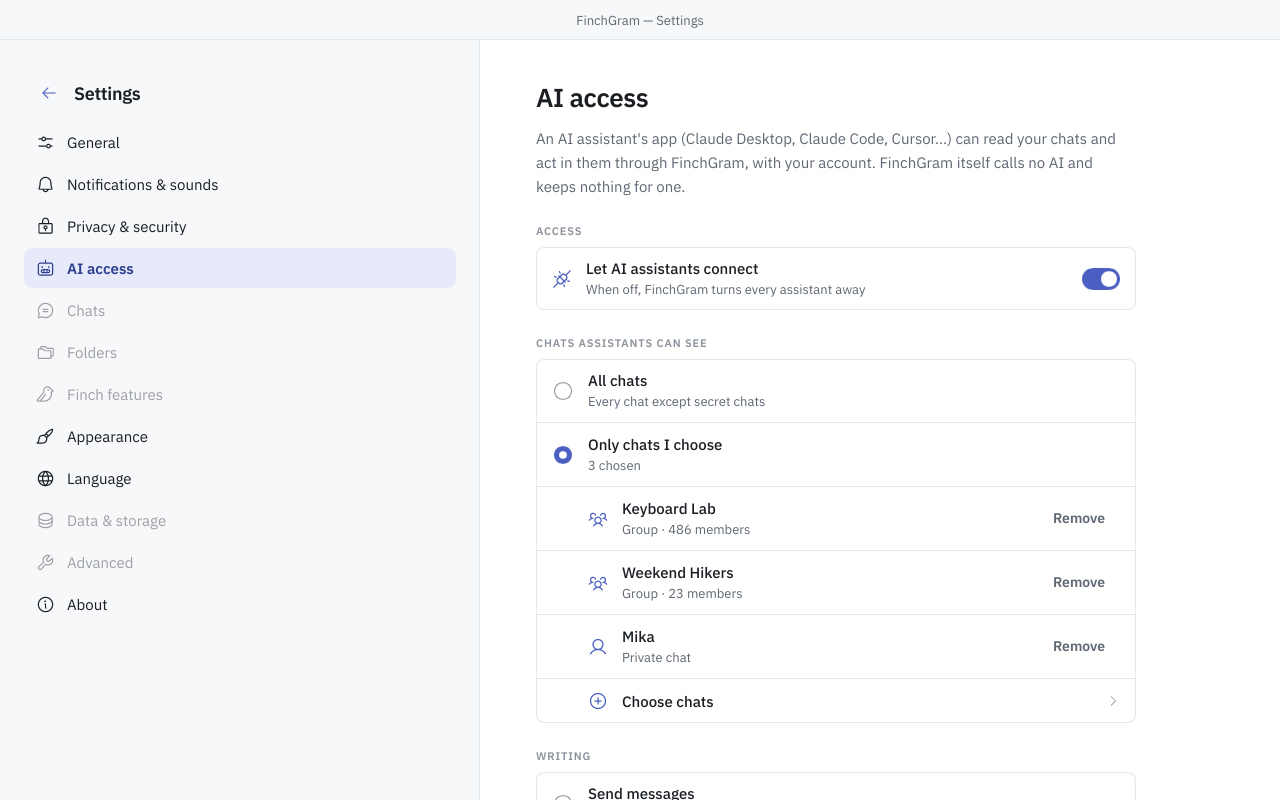
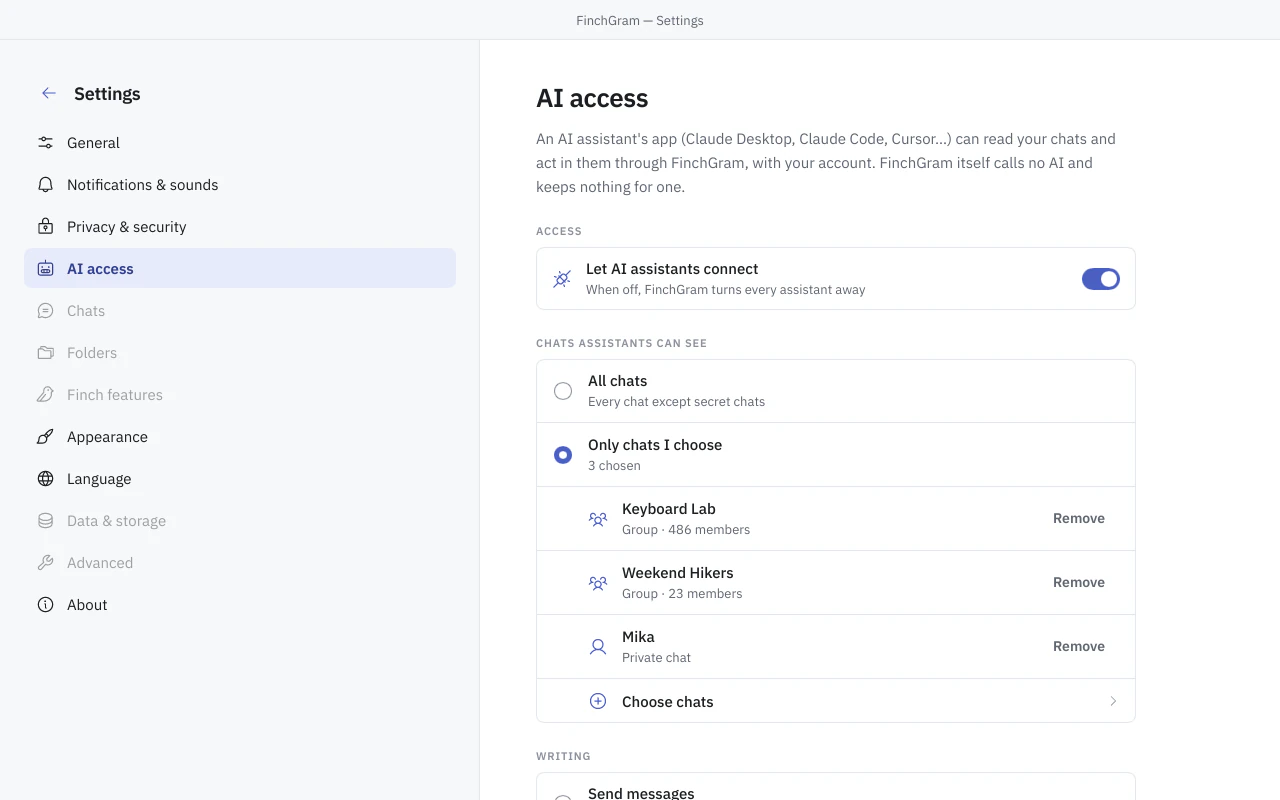 Settings, AI access: the switch that lets AI assistants connect, and the chats they may see







Words
- Call it a Telegram client, an unofficial one; never “Telegram for Mac”, and never with Telegram's logo or blue.
- It is open source and free, with no FinchGram server and no account of its own: nothing is collected.
- AI assistants read a chat only when the user has turned AI access on and chosen that chat; FinchGram never uses Telegram data to train AI models.
Contact
For questions and anything else: support@finchgram.com, or an issue on GitHub.
What FinchGram does with your data